
Ghost Job Detector
No reply to your application doesn't mean you weren't good enough. Maybe nobody was reading.
A Chrome extension for 104, Taiwan's largest job board. On every listing, it prints the half of the data 104 has but never shows.
Built independently. Not an official 104 product.
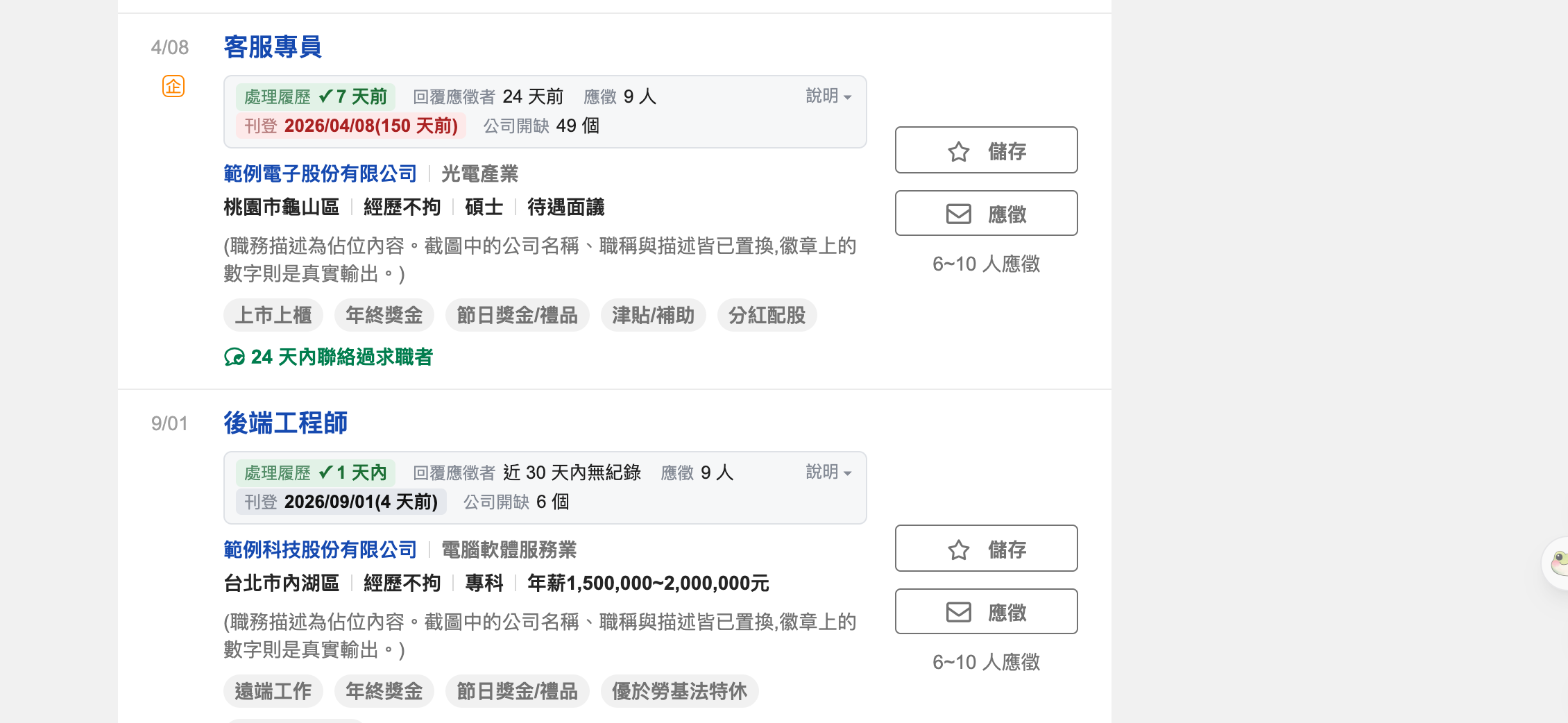
The top listing has been up for 150 days (red), yet HR processed résumés within the week (green ✓). Long-running listings are usually always-open roles, not ghost jobs. (Company names and titles are placeholders; the data is real output.)
01 · The problem
104 only shows you the good half
104 knows how many days ago each listing last processed a résumé and last replied to an applicant, and it already sends those fields to your browser when a listing loads. But the page only shows the good half: "processed résumés within 3 days" appears, while "no reply to any applicant in 30 days" disappears entirely. Applicant counts too: you get a band like "6–10", never the exact number.
This extension fills in the other half, then stays quiet: no scores, no grades, no guessing whether a job is real.
02 · What it shows
One extra row on every job card
| Field | Meaning | Does 104 show it? |
|---|---|---|
| Résumés processed | Days since HR last opened a résumé | Only when there is a record; otherwise the line disappears |
| Replies to applicants | Days since the company last replied through 104 | Same as above |
| Applicants | The exact count, or the band if unavailable | Only a band (0–5 / 6–10 / 11–30 / 30+) |
| Posted | The date, plus how many days ago | Only the date |
| Reposted | How many times the extension has seen this listing reposted | Not at all |
| Open roles | How many roles the company has open | On the company page, not the listing |
Just three visual cues, none of them a grade:
Résumés processed or replies within 7 days. Good news: HR is actually active.
Posted more than 60 days ago. Worth a second look, not "this job is fake".
Posted within 60 days. Only meaningful once turned into a day count.
03 · Why no score
Flagging a real job as fake hurts job seekers and companies alike
Early versions had a 0–100 score and four grades, since removed entirely. A sample of 1,039 unique listings on 2026-09-05 showed the premises didn't hold: "the longer it's up, the more abandoned it is" is false. Older listings actually had more active HR.
| Posted | Listings | HR active within 7 days | No activity in 30 days |
|---|---|---|---|
| > 30 days | 89(8.6%) | 93.3% | 0 |
| > 60 days | 39(3.8%) | 89.7% | 0 |
| > 90 days | 15(1.4%) | 86.7% | 0 |
| > 180 days | 3(0.3%) | 100% | 0 |
Thresholds set by gut feeling can't get this right, so it now shows only the data and leaves the judgement to you. 完整分析 →
04 · Install
Manual install, five steps
Download and unzip
From the latest release, download
ghost-job-detector-x.y.z.zipand unzip it into a folder you won't delete. Chrome reads from that folder every time it starts; move or delete it and the extension stops working.Open the extensions page
Type
chrome://extensions/into Chrome's address bar and press Enter.Turn on "Developer mode" (top right)
Keep it on after installing. Turn it off and Chrome disables the extension too. This is the most common reason for "installed but nothing happens".

Click "Load unpacked" and pick the folder from step 1
The button only appears once Developer mode is on. Pick the folder that contains
manifest.json, not its parent.
Search any job on 104
Search on 104 找工作 and every job card gets an extra row of data. Reload any 104 tab that was open before you installed.
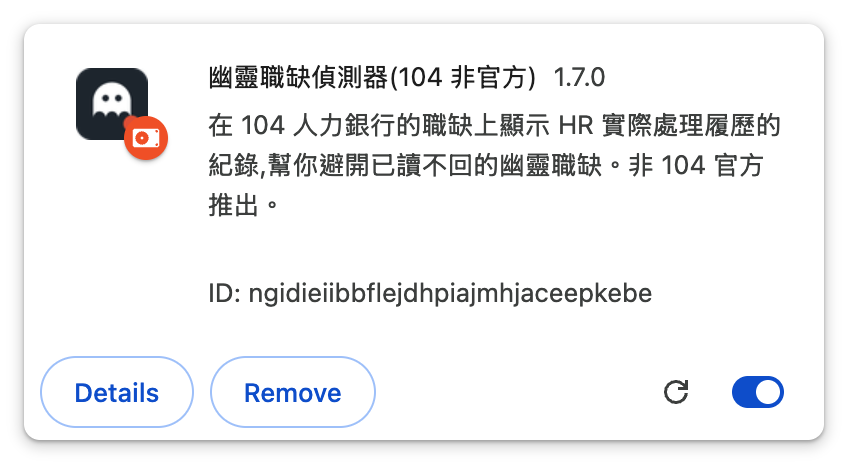
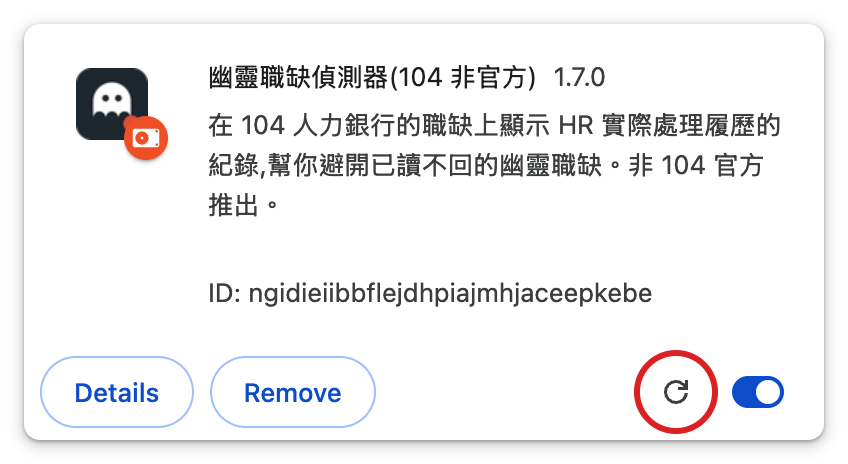
When there's a new version: download the new zip and unzip it over the same folder (don't move it), click reload on the extension card in chrome://extensions/, then reload your 104 tabs.
05 · Where it runs
It depends on the browser, not the OS
| Environment | Supported | Notes |
|---|---|---|
| Chrome (desktop) | ✅ | macOS, Windows and Linux |
| Edge, Brave, Vivaldi | ✅ | Also Chromium; same install steps |
| Firefox, Safari | ❌ | Different extension format; no version yet |
| Phones / tablets | ❌ | Chrome on Android and iOS doesn't support extensions |
06 · Installed but nothing happens?
Check in this order
Developer mode got turned off
The most common cause. Manually installed extensions only run with it on. Check the switch at the top right of chrome://extensions/.
The 104 tab wasn't reloaded after installing
The extension only loads when a page loads; reload tabs that were already open.
The page isn't supported
It works on 104's search results, AI recommendations, job pages and company pages. Other pages (home, résumé management) get no badge.
The extension is switched off
Click its icon in the toolbar and make sure detection is on.
Chrome asks to "Disable developer mode extensions" on start
Click "Keep", not disable.
The badge says data is unavailable or the format may have changed
104 has probably changed something. The popup shows how many times in a row it failed; please report it on GitHub Issues.
07 · If it helped
This extension is free and will stay free: no paid tier, no ads, no data collected. If it saved you from a few listings that never reply, you can buy me a coffee.
No pressure at all. Reporting problems or sharing it with a friend who's job hunting helps the project even more.

Who made this
Hi, I'm Eric
Former Senior Technical Manager (E10) at MediaTek, two-time founder. I want to help people who, like me, feel stuck at work and want to find their passion, use AI to try things and discover work that makes them happy.
Opens Substack to confirm. One more click and you're in.